From days of manual research to a few hours: finding out who really needs your help
· Dries Ketels
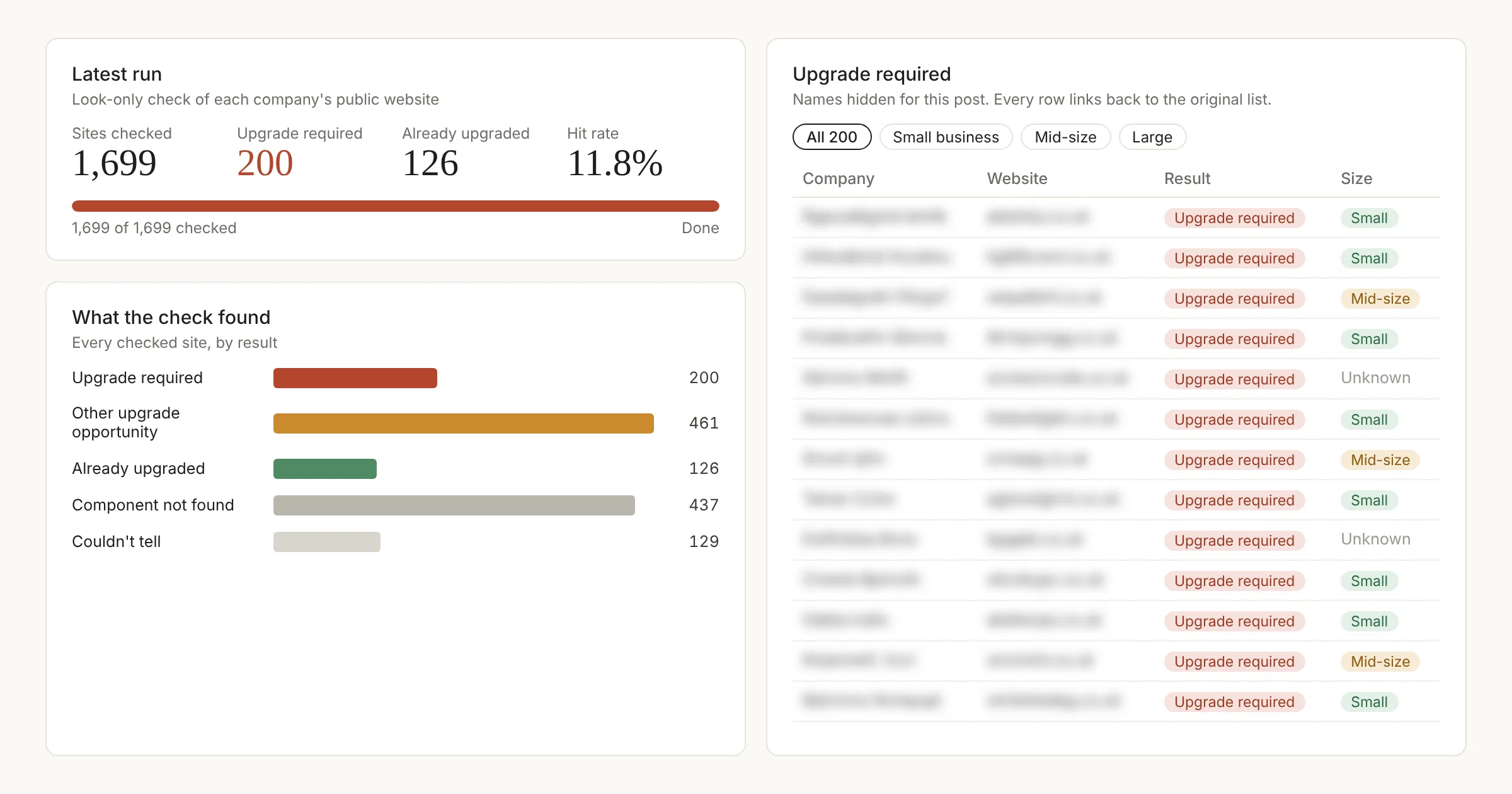 Latest run, company names hidden.
Software that businesses depend on doesn’t last forever. When an older version is retired, hundreds of companies have to switch to the new one. Some already know. Many don’t yet.
If helping companies through exactly that kind of change is your job, the first question is always the same: who actually needs help?
The old way: checking one website at a time
The honest answer used to be: you find out by hand. You take your list of companies, open their websites one by one, poke around, and try to work out what they’re running behind the scenes. Is it the old version? The new one? Something else entirely?
It works. It’s also slow. For a list of a few thousand companies, that’s days of clicking, squinting and copy-pasting into a spreadsheet.
The new way: let an efficient tool do the looking
So we tried something different. We started from a list of companies and built a small tool that does what we would do: it opens each company’s public website and simply looks.
When a website loads, it tells your browser which building blocks it uses. Our tool reads those public clues and notes which component each site is running, and whether it’s the version that’s about to be retired.
That’s it. It never logs in, never fills in a form and never types a single message. It sees exactly what any visitor’s browser receives from the website, nothing more.
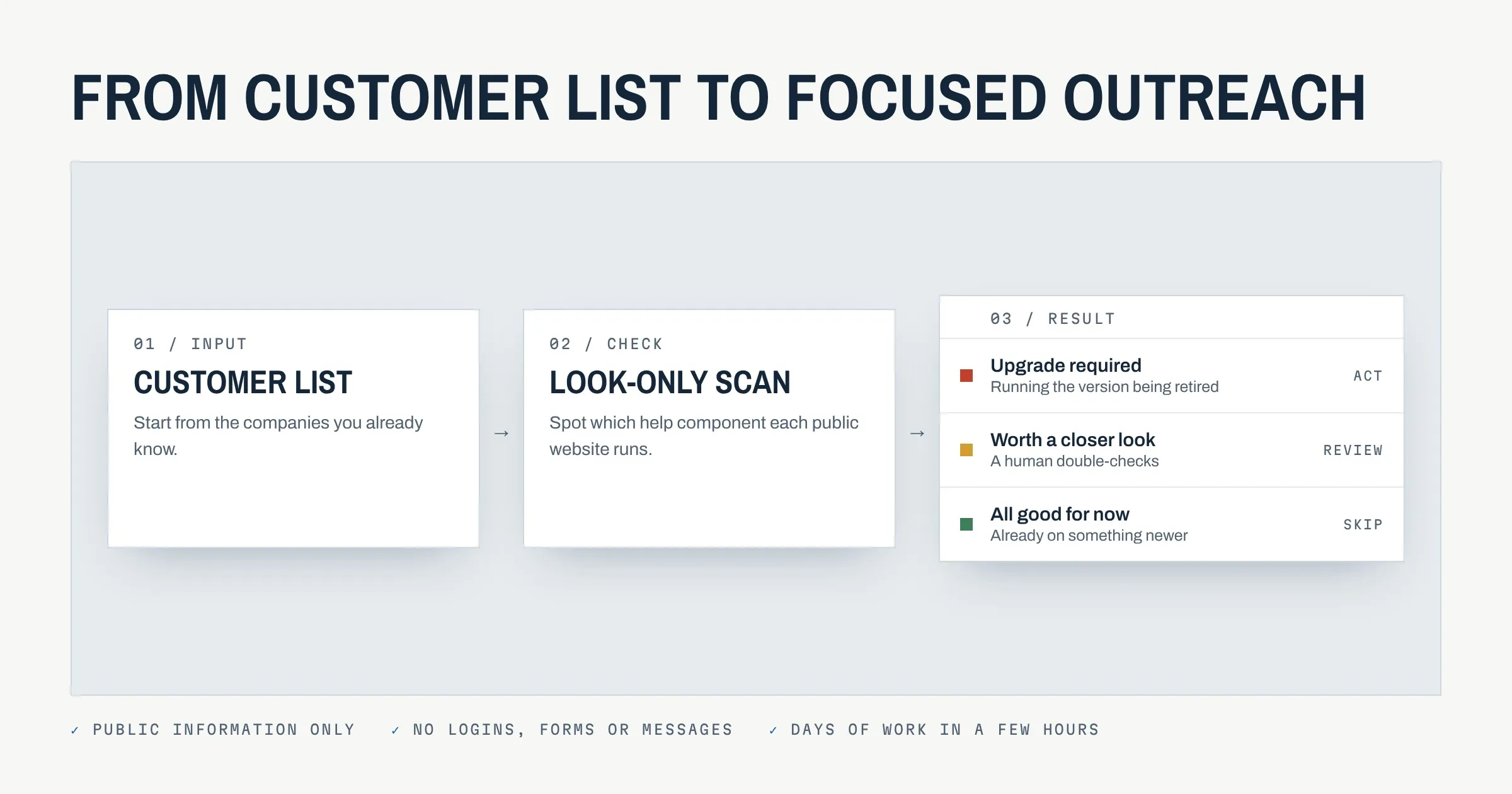
The result is a tidy overview, sorted into three simple groups:
- Upgrade required: running the version that’s being retired.
- Worth a closer look: some signs point that way, but a human should double-check.
- All good for now: already on something newer, or not affected.
In our most recent run, we checked about 1,700 websites in roughly two hours. Around 200 of them landed in the “upgrade required” group. By hand, that would have been days of work.
Doing it the right way
Speed only matters if it’s done properly. These were the ground rules:
- Only public information. Everything the tool reads is something any visitor’s browser receives anyway.
- Look, don’t touch. No logging in, no forms, no messages and no pretending to be a customer.
- Minimal traffic. One visit per site.
- Nobody gets contacted automatically. The tool makes a list, not phone calls. Every next step is a human decision.
- Keep only what’s needed. We store the finding (“this site uses the older component”), not piles of data about people.
The whole approach is designed with GDPR in mind: it works with company-level, publicly available information, not personal data.
What we learned along the way
- Customer lists go stale fast. In the pilot, about a third of the sites no longer ran the component the list said they did. Checking the live website beats trusting a year-old export.
- Look behind the page, not at it. What a page shows says little. Every website also loads small public tags that name the building blocks it uses. Reading those, instead of the screen, made the biggest difference in accuracy.
- One clear signal beats ten weak ones. At first we combined indirect hints: names, wording, which setup a site seemed to use. Useful, but it left too many maybes. The breakthrough was finding one small technical label in the data a site sends along.
Why it makes outreach better
The real gain isn’t only the time saved. When we do contact a company, it’s for a concrete reason. Instead of a generic “can we help you with anything?”, the message becomes: “The component on your site is being retired soon. We can help you move to the new version.”
That’s a more relevant conversation for both sides.
Want to try this for your own list?
Do you have a list of customers and want to know which of them need to act on an upcoming change? Or are you facing an upgrade yourself? We can help. Get in touch via contact@driesketels.dev and we’ll show you how it works.